
TABLE OF CONTENTS
- Sales Attributes (Temu)
- Purpose of Sales Attributes
- Using Multiple Sales Attributes
- ** Noted Limitations
- If an Error Is Made
- Mandatory Attribute for Region
- Product Attributes (Required & Dependent)
Sales Attributes (Temu)
Sales Attributes define the selectable options a customer sees on TEMU. Example. Size, Colour, or other variant choices. These attributes determine how product variations are displayed and selected by buyers.
Purpose of Sales Attributes
Sales Attributes are used to represent differences between product variants. They directly control how customers view and choose variations of the same product. Common examples include:
- Size
- Colour
- Material
- Style
Using Multiple Sales Attributes
Only use more than one Sales Attribute when the product genuinely varies across multiple dimensions. Examples:
- Valid use: Size (S, M, L) and Colour (Red, Blue)
- Not recommended: Adding both Size and Colour when the product only varies by one of these
If a product has only one type of variation, adding extra attributes increases complexity without improving the customer experience.
** Noted Limitations
Sales Attributes cannot be changed after the product is created. Once a product is created in Omnivore:
- Variant attributes cannot be updated or reprocessed on Temu.
- Any newly added attributes will be ignored on Temu
- Existing variants will remain unchanged on Temu.
If an Error Is Made
If incorrect Sales Attributes are set during creation:
- The product must be deleted on Temu.
- The product must then be recreated with the correct attributes, on deleted on Temu it can be uploaded again from Omnivore.
There is no supported method to modify or fix variant structures after creation.
Mandatory Attribute for Region
TEMU Global requires a country of origin value for each product, originRegion1. For this you can map a default global attribute which will apply to all products.
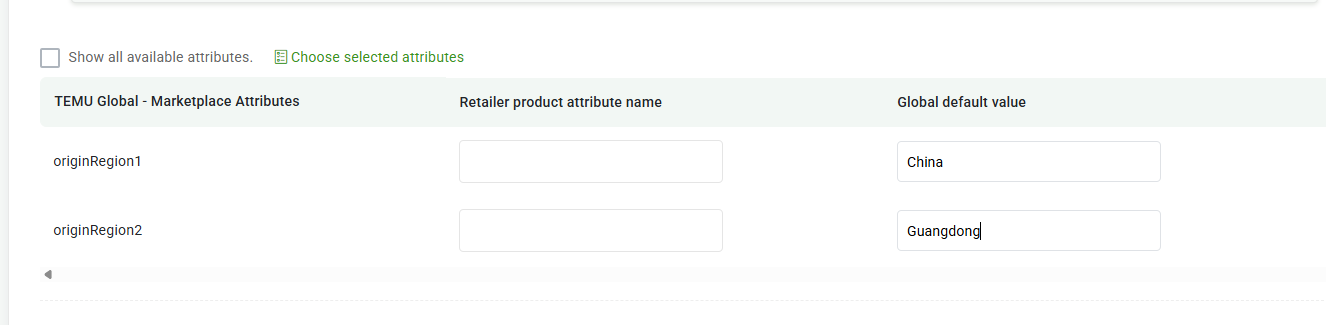
If your originRegion1 is China, you must also provide a value for originRegion2 which can be mapped on the same page.
Navigate to Products - Temu Global - Marketplace Attributes Tab and click Set Global Bulk Mappings.
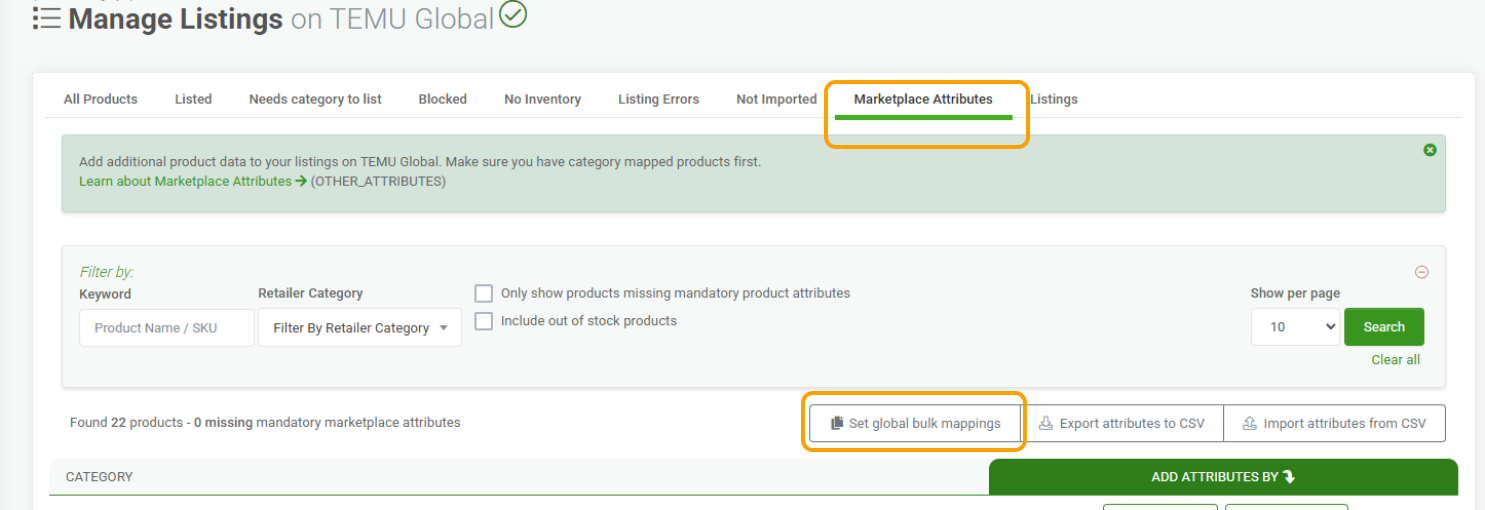
If OriginRegion1 is China then OriginRegion2 needs to be set also, see here, the value will be a sub region of China:
If OriginRegion1 is NOT China then OriginRegion2 can be blank, see here:

Product Attributes (Required & Dependent)
The TEMU marketplace does require product attributes which are governed and differ according to the Category you sell in.
E.g. the electronics category will have differing product attributes rules than the beauty category.
There may be some attributes that say Required but they are not. There are reasons for this as explained below.
Example, this highlights what a Required Temu Product Attribute will display as, the field values may not necessarily be required.
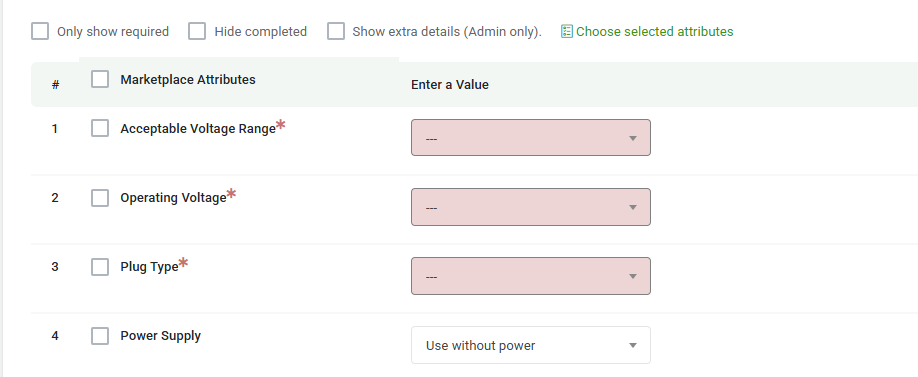
To get a true indication use the Upload to Temu button on the actual product page in Omnivore and observe any errors that come back from Temu.

The product may be accepted by Temu even though the required attributes values are blanks.
In general as with all other marketplaces, attributes can be applied on the product page OR on the Marketplace Attributes Tab in the product search table.
On the product page you can set your values at the 3 levels which are Product - Category - Global.
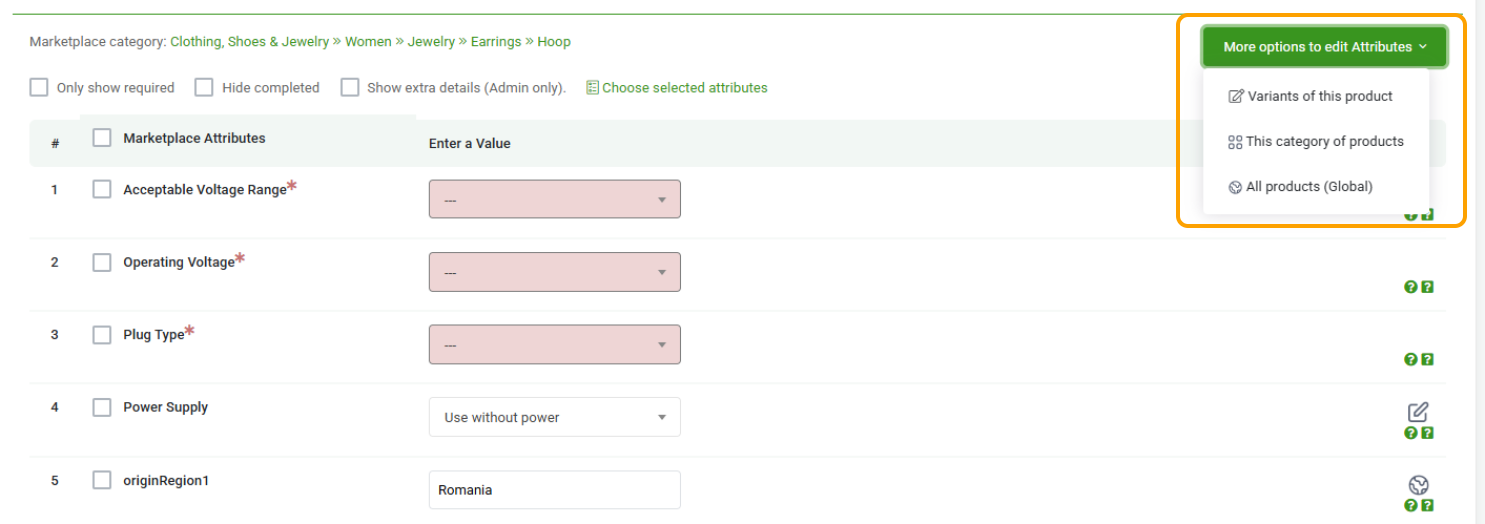
Required Attributes in TEMU
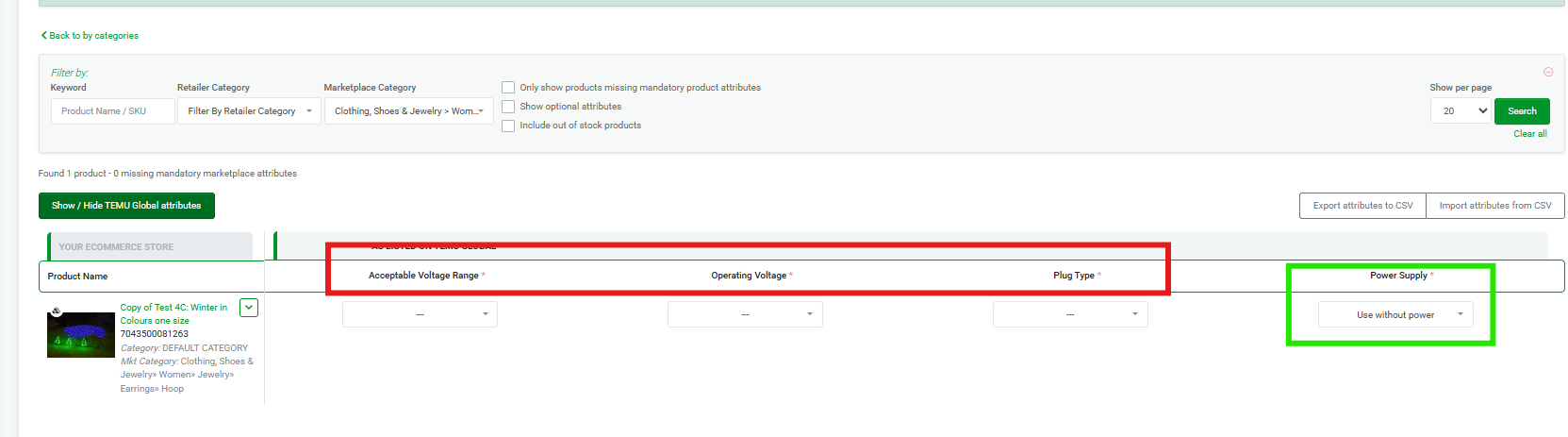
TEMU designates some attributes as required. However, certain required attributes are conditionally required based on the value selected for another required attribute.
In the example shown in the screenshot, the three highlighted attributes are only required when the dependent attribute, Power Supply, is set to a value other than the one displayed.
Current Limitations
TEMU does not currently indicate whether a required attribute is conditionally required due to its dependency on another attribute’s value. As a result, all such attributes appear as universally required, even when they are only required in specific scenarios.