
TABLE OF CONTENTS
Overview
Now you can map your eCommerce Store product custom attributes at a global level using our Bulk Mapping Feature.
There are 3 attribute mapping functions in Omnivore:
- Product level - this just adds an attribute to a single product.
- Category level - adds attributes to all products in a category.
- Global level - maps your custom attribute field to a marketplace attribute field across all product and all categories.
How To
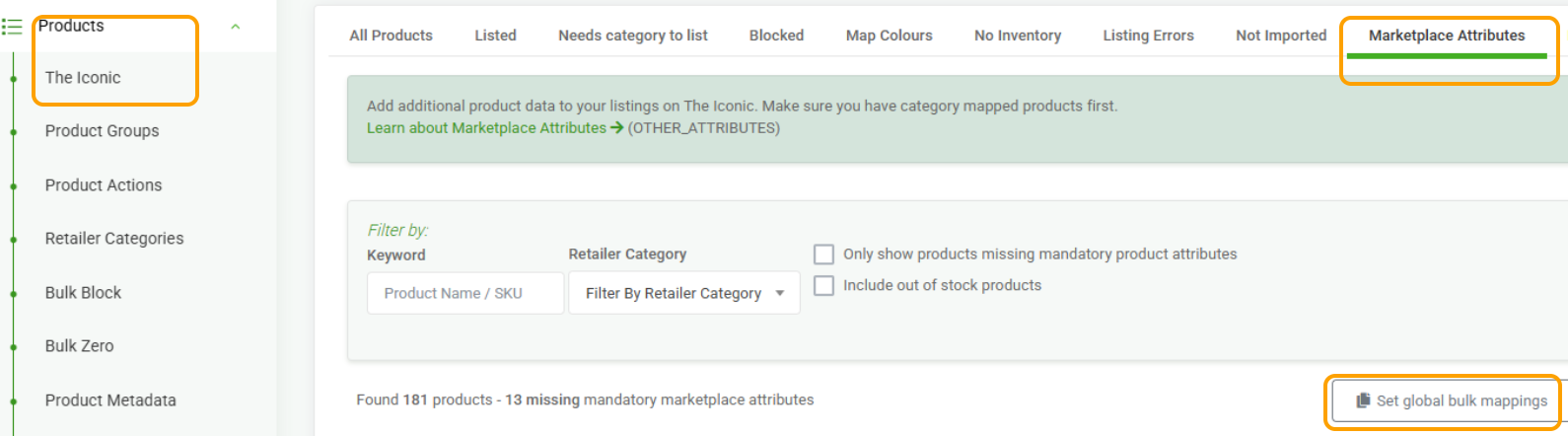
- In Omnivore click Products - The Iconic - Marketplace Attribute Tab - Set global bulk mappings
- The left side column shows your attributes and the drop down on the right side has the marketplace attributes.
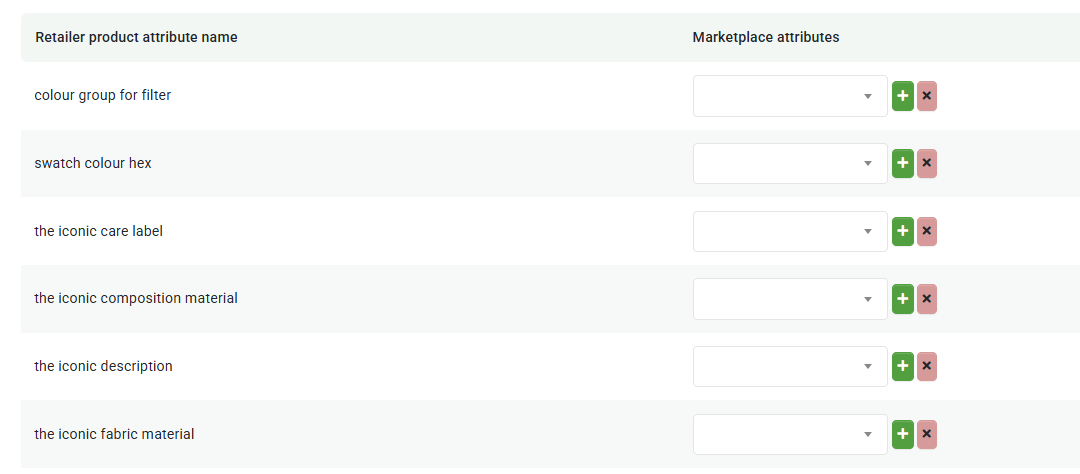
- On the right side select from the drop down and click the Green +
- On the right side also if you scroll down you can see Marketplace Defaults
- This can be used to bulk map things like Age, Gender that is needed across all products
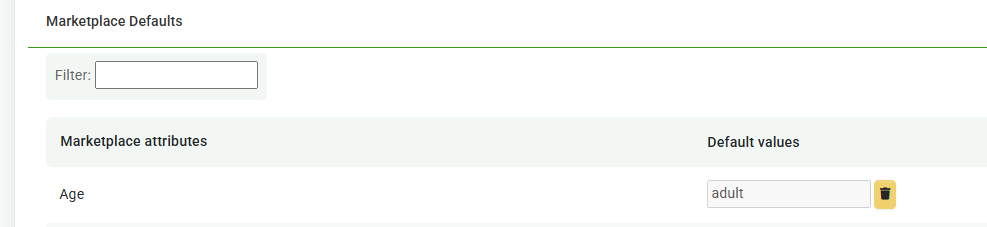
- These changes are instant, a quick Upload to The Iconic will push up any changes.