
TABLE OF CONTENTS
About Amazon Easy Ship (AES)
Amazon Easy Ship (AES) is a new order fulfilment program where Amazon Sellers pick and pack customer orders, while Amazon manages the collection from the Seller’s warehouse and the final delivery.
By using Amazon’s fulfilment network, AES offers Sellers the following benefits:
- Flat, competitive nationwide shipping rates
- Reduced carrier complexity and operational friction
- Valid tracking on all AES orders
To learn more about Amazon Easy Ship visit: https://sell.amazon.com.au/easy-ship
How It Works
- When Easy Ship is enabled in your Amazon Seller Center Account, orders imported into your eCommerce store via Omnivore will be automatically detected and flagged as an Amazon Easy Ship order.
- Our Amazon Integration API checks each imported order against the required criteria to identify Easy Ship orders.
- The order will appear in Omnivore accordingly showing the Easy Ship flag.
Preparing the Order
- Go to Omnivore → Orders → All Orders.
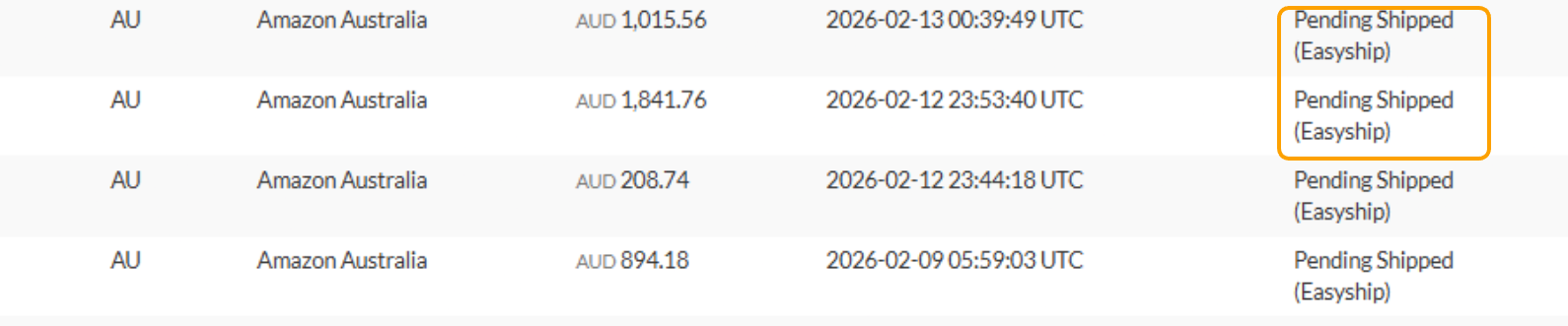
- Filter by Amazon and Pending Shipped status.
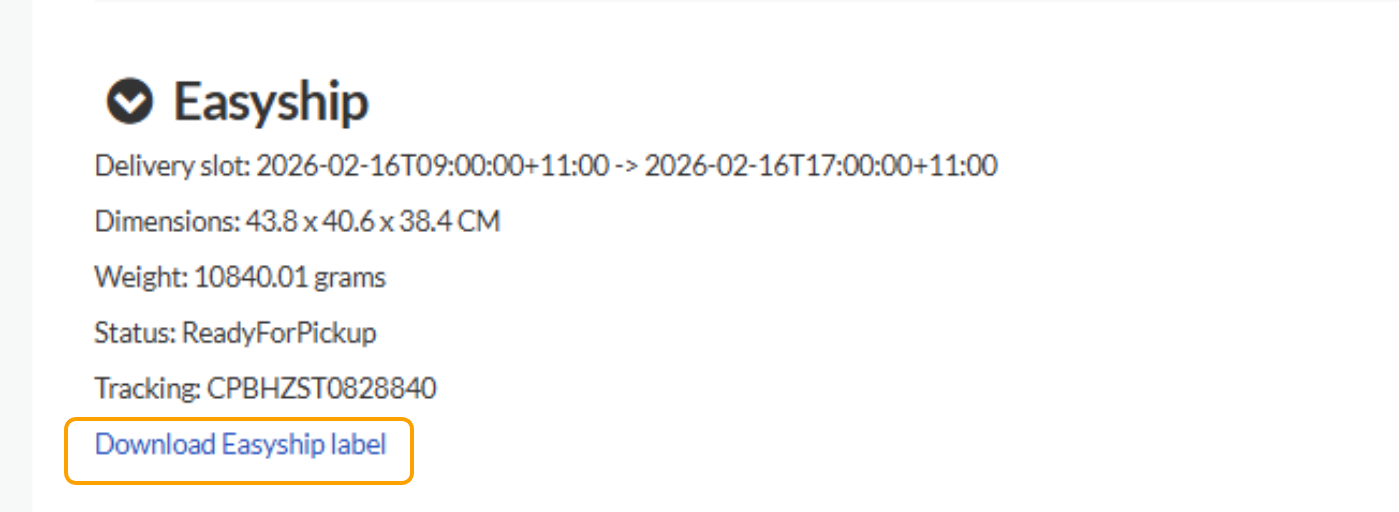
- Open the order and locate the Easy Ship section on the order page.
- Enter all package dimensions and click Schedule.
- This sends the required information to Amazon so they can arrange the pickup from your warehouse.

Labelling and Fulfilment
- After scheduling, download the Easy Ship label and attach it to your package in preparation for pickup. NOTE: If your order has multiple items the items all need to be packed into one box, hence only one label is provided.
- Omnivore will continue to poll Amazon for order updates.
- Once the order is fulfilled, it will automatically be marked as Shipped in Omnivore.
