
TABLE OF CONTENTS
Overview
You can now use a numeric value in Omnivore to sell products as multi-packs or bulk buys on Kogan. This helps Kogan understand the pack size without affecting pricing.
Product Quantity Multiplier
- Login to Omnivore and navigate to Products → On Kogan → Marketplace Attributes tab.
- Search for your product using a keyword or SKU.
- On the search results page, scroll to the Product Multipack field.
- Enter the quantity for the pack. For example, if a product comes in a pack of 5, enter
5in this field. - Once filled, Omnivore will push this data to Kogan in the next feed.
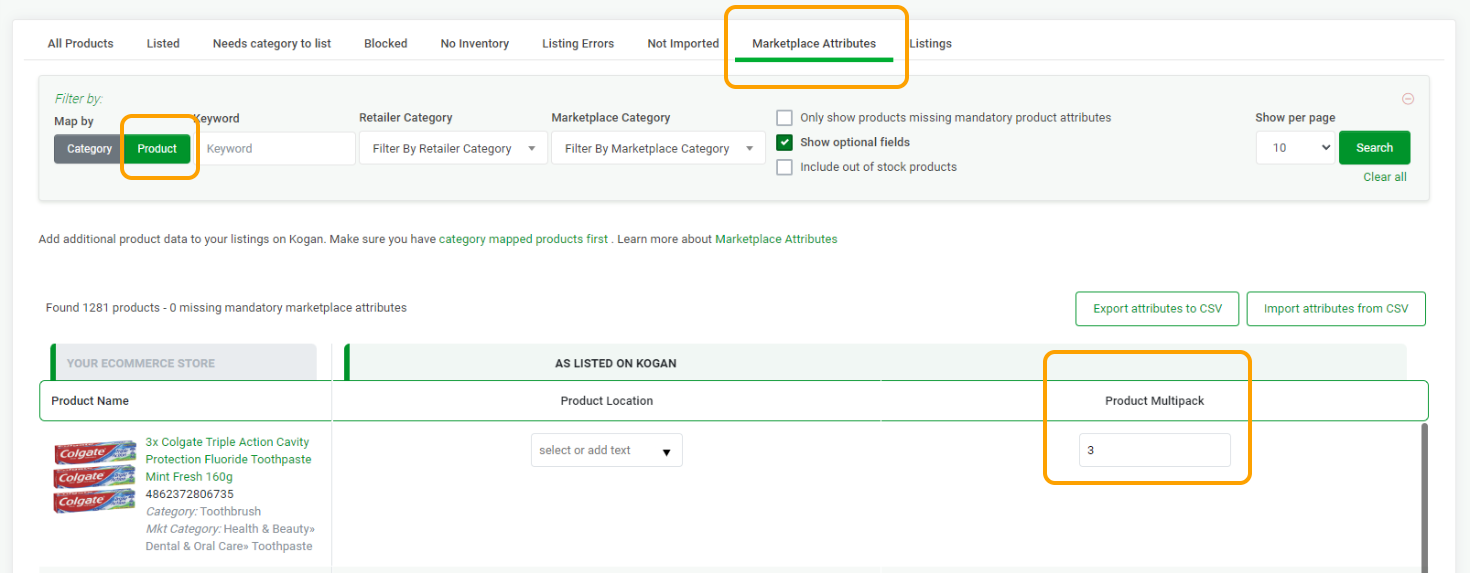
Example:
If a product has a multiplier of
3, an order for 1 item will represent 3 units in the pack.
Important: Setting a multiplier in Omnivore does not change the price. It simply indicates that the product is sold as a pack rather than a single item.